Introduction
A VoIP phone system for business is a way to make your calls over the internet rather than via traditional phone lines. This means that your call quality will depend on your network and provider. When set up correctly you will have great quality calls from any device. If it isn't set up properly, your employees will blame their phones when the issue really starts at your router.
This guide will explain how the technology works, what features to look for, what your network will need, emergency calls, security, running costs and switching over.
How a VoIP phone system for business works
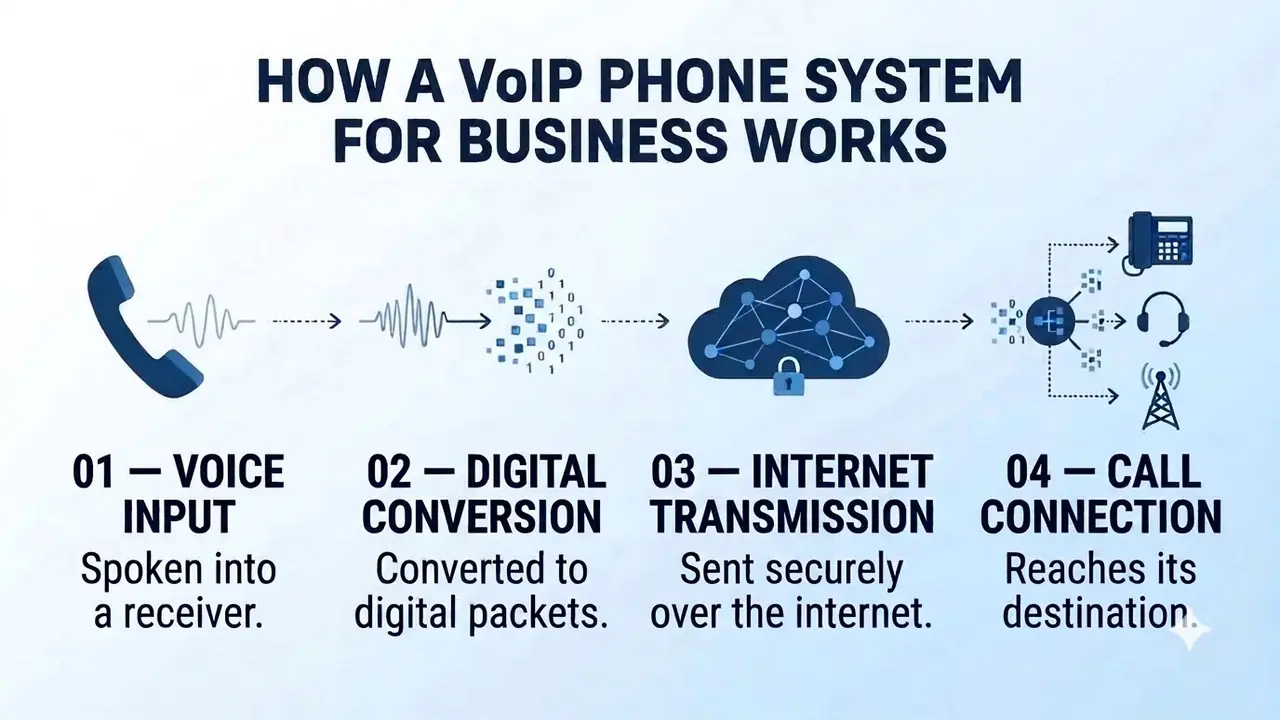
VoIP stands for Voice over Internet Protocol. Your voice is converted into small data packets and sent over the internet to your provider. If the other party is on a landline or mobile, the call then connects to the regular phone network. The person you are calling isn't aware that you're using VoIP.
Modern systems offer another layer. You won't have a box in your office. Everything is delivered from your provider, so your team uses the phone system through an app on their computer or phone.
A call moves through four stages:
- Voice input. You speak into a handset, headset or app.
- Digital conversion. Your voice is converted into digital packets.
- Internet transmission. The packets are sent over the internet to your provider.
- Call connection. The call reaches its destination, whether that is another app, a desk phone or a mobile on the regular phone network.
VoIP, landline and on-site PBX compared
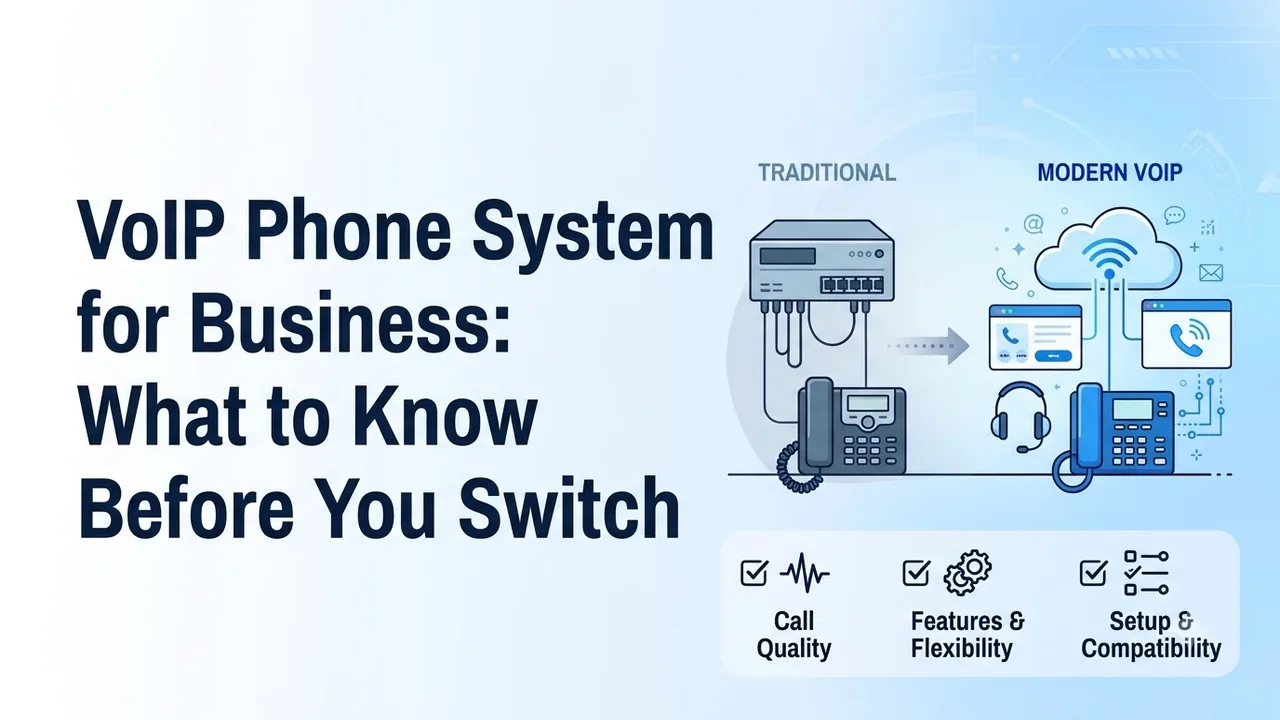
Most businesses compare VoIP with the two traditional options. The differences come down to where the equipment lives and who has to look after it.
| Landline | On-site PBX | VoIP phone system | |
|---|---|---|---|
| How calls travel | Copper phone lines | Your own hardware, then phone lines | The internet |
| Setup | Order lines per site | Install and configure hardware | Sign up and add users online |
| Remote and hybrid staff | Poor | Limited without add-ons | Built in |
| Adding a user | Order a line | Buy a phone, configure the PBX | Add a seat in a dashboard |
| Who maintains it | The carrier | Your IT team or a contractor | The provider |
| Depends on your internet | No | Partly | Yes |
The bottom row shows the trade-off with VoIP, because you rely on your internet connection.
A basic VoIP service will allow you to make calls, leave voicemails and forward calls. Many teams also want video calls, team messaging and a CRM link in the same place. A full cloud communications platform will allow you to do this.
You will want to decide which route you're going to take before looking at pricing, as the two are priced and packaged differently.
What to look for in a VoIP phone system for business
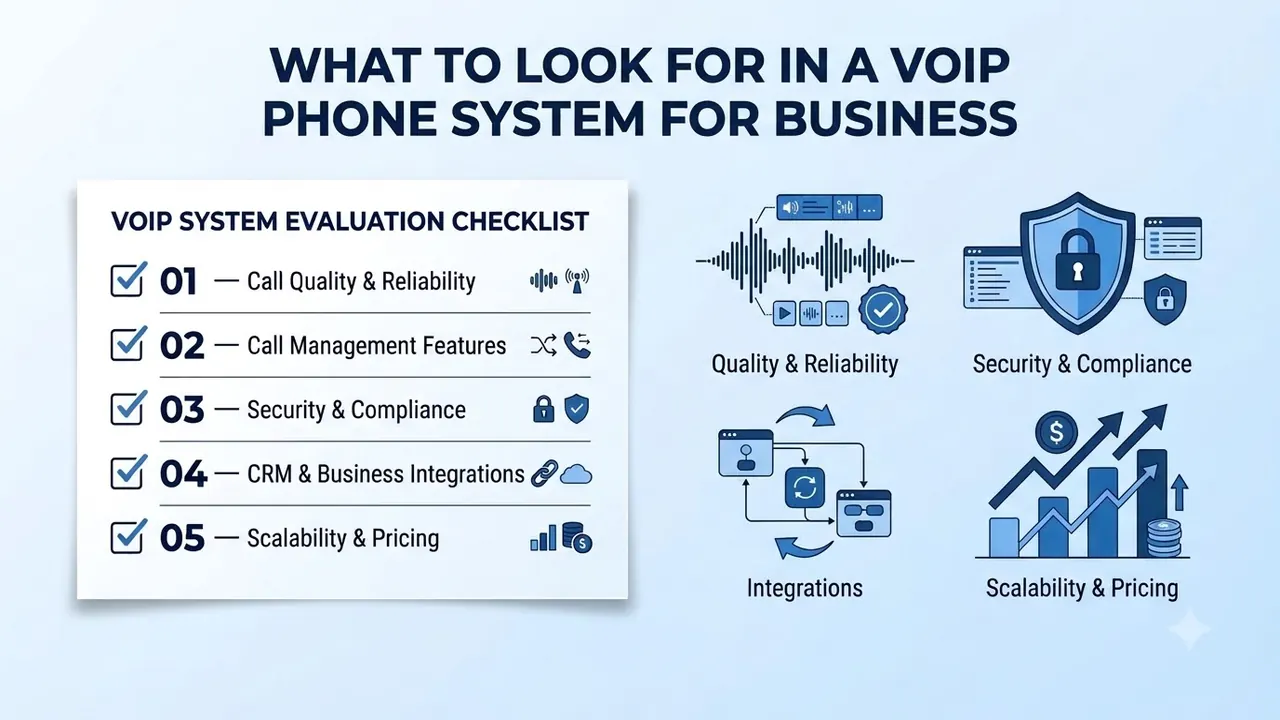
Most feature lists are very similar and lengthy, so focus on the key areas that will affect your daily workflow. These five are worth checking in any demo.
- Call quality and reliability. Rozper's product page describes adaptive codecs that hold up on poor connections. Ask any provider to demonstrate a call on a deliberately weak connection.
- Call management features. Calls should be directed to the right person without needing a receptionist. Rozper's business phone system has time-based, skills-based and AI-powered routing. Employees should also be able to switch between their computer and phone while on a call, and managers should be able to assign, suspend and reassign numbers without contacting support.
- Security and compliance. Look for encryption, caller authentication and access controls. We cover what to ask in the security section below.
- CRM and business integrations. Check which CRMs and business tools connect to the system, and whether call data is written back automatically.
- Scalability and pricing. Rozper lists local numbers in many countries and says toll-free numbers are available in many countries. Ask sales for coverage and pricing, and check how easily you can add users.
If you're considering several options for your phone system, see our guide on how to choose a business phone system.
Network readiness and call quality
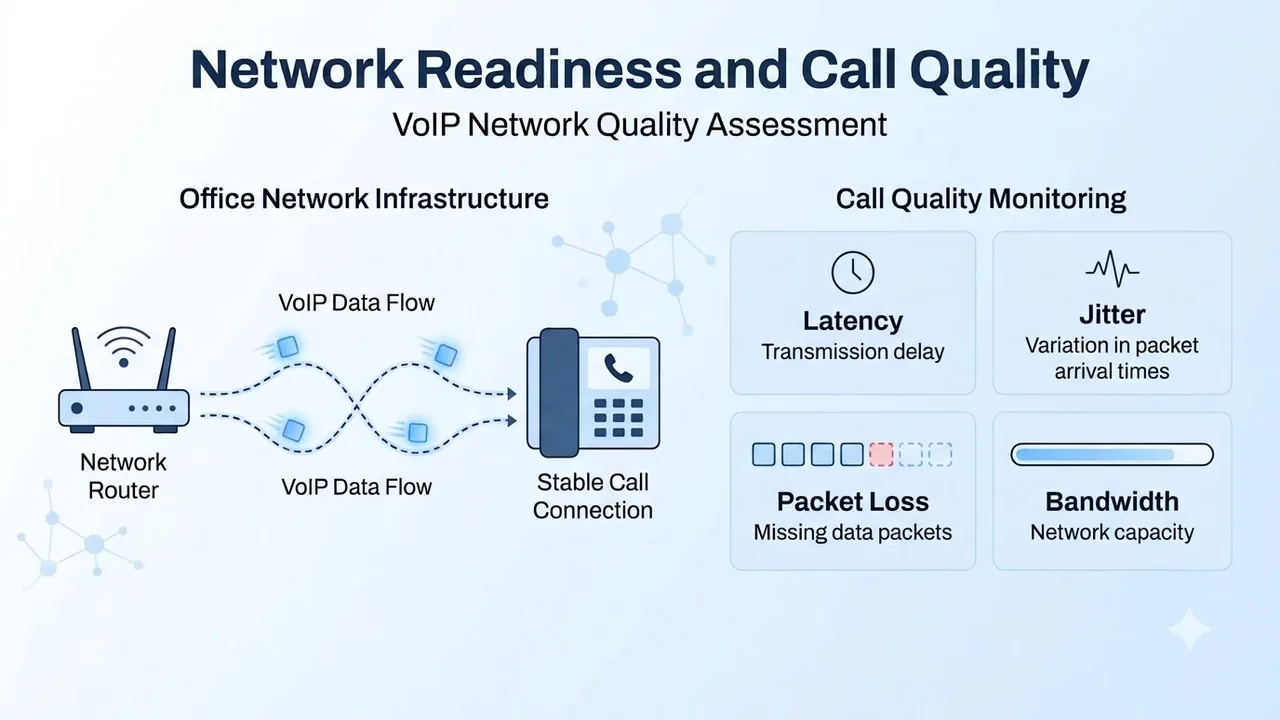
Your voice is sent over the internet in small packets of data with a specific timing, using the Real-time Transport Protocol, defined in IETF RFC 3550. Delay and jitter (uneven delivery) are what make calls sound choppy and robotic. Four measures tell you how healthy a connection is: latency (transmission delay), jitter (variation in packet arrival times), packet loss (missing data packets) and bandwidth (network capacity).
While you won't need a new network, you should check your current one:
- Count your simultaneous calls. Ask your provider how much bandwidth each call takes for the codec you're using, then multiply by your busiest time.
- Use wired connections wherever possible. Desk computers on a cable are more stable than the same computers on busy Wi-Fi.
- Prioritize voice. Many business routers can give calls priority over downloads, which keeps quality high even when your office is busy.
- Test all locations. Make real calls from each of your offices and a few home connections.
- Have a failover. A second internet connection or a mobile hotspot will help if you experience an outage.
Emergency calling and security
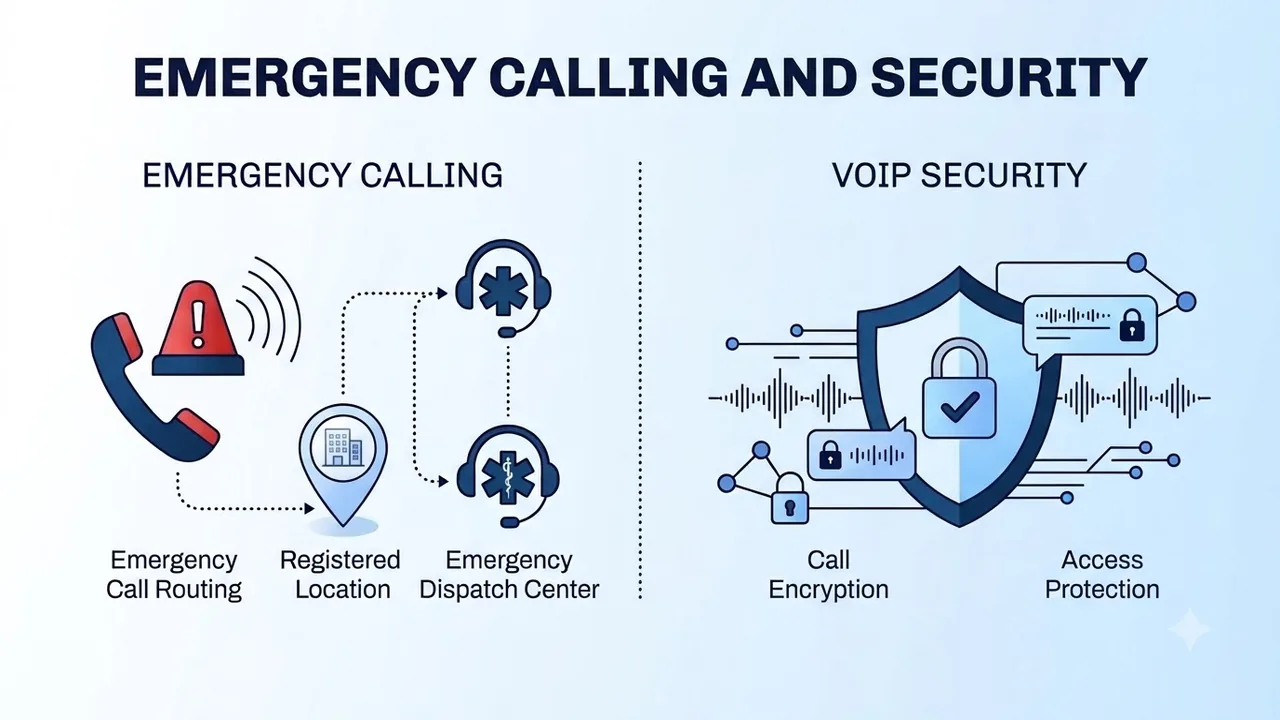
Calling emergency services over the internet can be different. The emergency services need to know your location, and this has to be registered with your provider. If your address is outdated it could cause problems. Find out how your provider deals with emergency addresses, and what happens when staff work from home.
Rozper's security page lists dynamic emergency routing, STIR/SHAKEN attestation, TLS 1.3 in transit, AES-256 at rest and SRTP for call audio. These are the provider's own statements, so ask for proof of anything you care about.
Ask every provider these questions:
- Emergency calling: How do they register and update addresses?
- Encryption: What protection do they offer on calls, messages and recordings?
- Access: Can you assign roles, and is there an audit log of admin changes?
- Monitoring: Are they monitoring their network around the clock?
What a VoIP phone system for business costs to run
The monthly cost per user is only one line. To compare providers fairly, create a simple spreadsheet with one row for each cost:
- Monthly cost per user: What is included in the base package, and what is extra?
- Numbers: Are local and toll-free numbers included, or charged separately?
- Calling: Are domestic and international minutes included or metered?
- Hardware: Do you need any, or are apps enough?
- Setup and porting: Are there any one-off costs, and who does the work?
- Contract: How long is the term, how does it renew and what does it cost to leave?
Rozper's business phone system page says there is no hardware and no carrier contracts, and its pricing page lists per-user plans. Check the current plan details with any provider before you decide, as prices and inclusions can change.
Switching without dropping calls
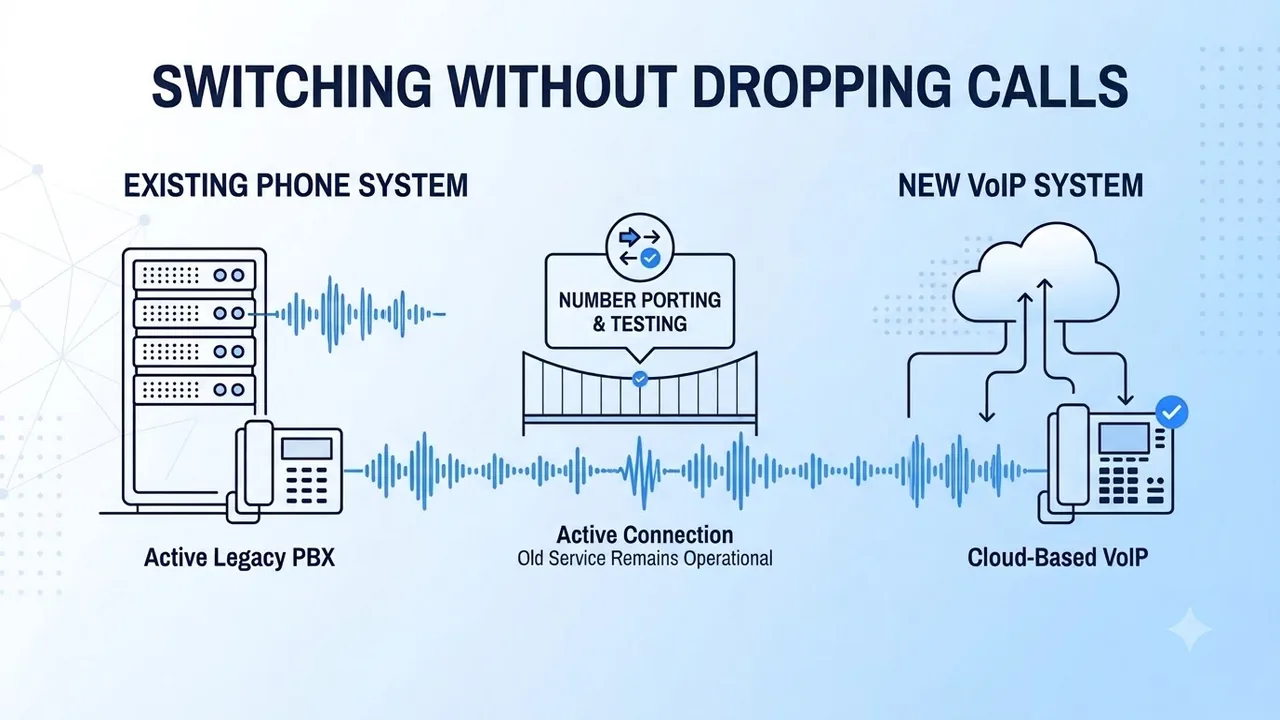
Switching over is where good systems can earn a bad reputation. Plan it as a short project with one owner.
- List everything: numbers, extensions, hunt groups, voicemail boxes and fax lines.
- Port your numbers first. This depends on your current carrier, so it will set your timeline. Rozper offers number porting on request.
- Update emergency addresses for every location before the switch.
- Test your network with real calls from each of your offices and a few remote connections.
- Pilot with one team and fix any issues they find before everyone moves.
- Keep your old service for a short period. After 30 days, review missed calls and call quality.
Mistakes that hurt VoIP call quality
Most bad VoIP experiences come from a handful of avoidable mistakes:
- Not testing your network and finding the problems after launch.
- Relying on poor Wi-Fi for employees who are on the phone all day.
- Not updating emergency addresses when people move desks or work from home.
- Picking on price only and ignoring failover and support.
- Switching everyone over straight away instead of piloting with one team.
- Not reviewing your results, so small issues become habits.
Conclusion
As long as you test your connections, emergency addresses and provider, a VoIP phone system for business can provide a comparable or better service than a landline. Test your connections at every location, and ask for proof of any security and support claims.
Switch over gradually and keep the old service for a short period while the new one proves itself. A VoIP phone system for business can then become an invisible part of your office.
FAQs
What is a VoIP phone system for business?
It allows your business to make and receive calls over the internet. It links into the regular phone network, so you can call and receive calls from any landline or mobile.
Do I need special equipment for a VoIP phone system for business?
Not necessarily. Rozper's product page states that no hardware is needed, as you can use apps on Mac, Windows, iOS and Android. If you want to keep your current desk phones, check they are compatible with your provider first.
How much internet bandwidth do I need for VoIP?
This depends on the codec and the number of calls you make at one time. Ask your provider how much bandwidth each call needs and multiply this by your peak times. Test with real calls from all locations.
Can I make emergency calls over a VoIP phone system?
Yes, but you need to make sure your provider has the correct address. Ask how they add and update addresses, and update them whenever staff move or work from home.
Can I keep my existing business phone number?
Typically through number porting. Start this process as early as possible and keep your old service until porting is complete. Ask your new provider how they manage this.