A predictive dialer is call software used during outbound calling. A number of calls are dialed and only those who answer are connected to an agent. This means that agents are not getting distracted by answering rings, voicemail or busy signals. For call heavy teams this can mean the difference between a dialing day and a talk day.
Although it can be very powerful it does enforce some rules. This guide will show you how this works, how it differs from other dialing modes, when to use it and what to consider before running a campaign.
What a predictive dialer is
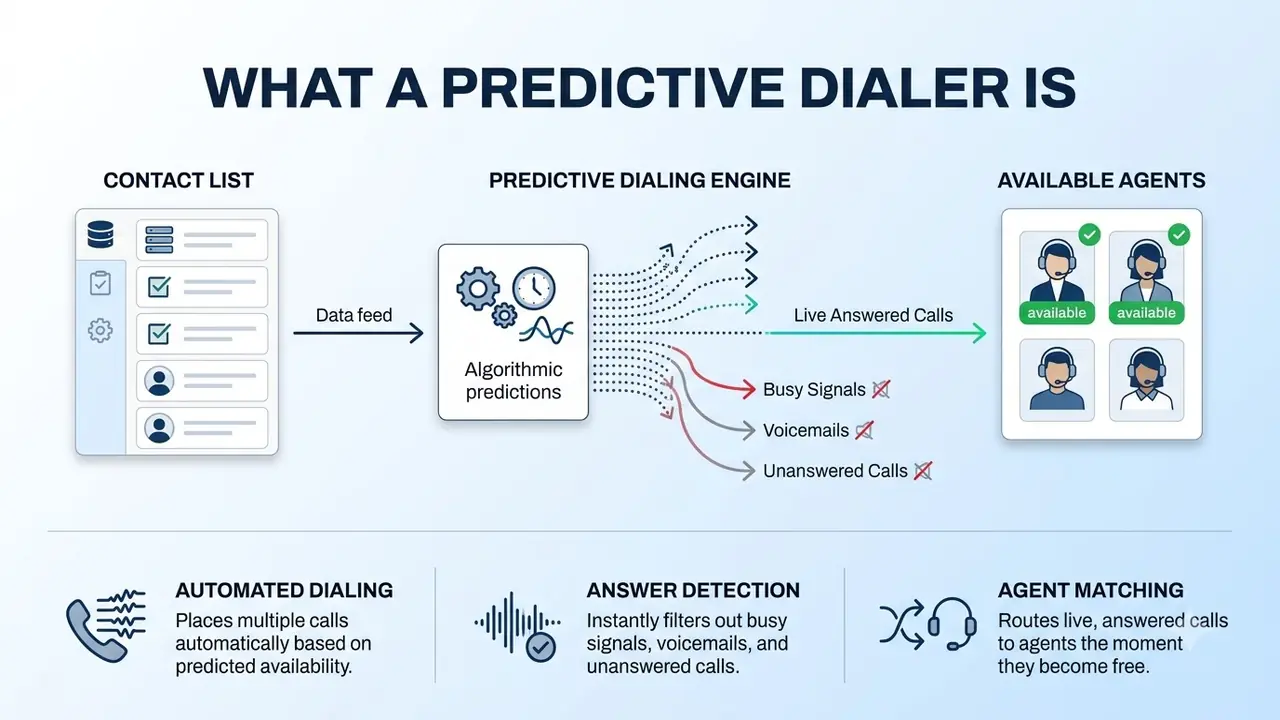
A dialer simply automates the calling process. Predictive dialing uses a pacing algorithm to determine how many calls to dial so that when you do get an answer an agent will be available. This ensures agents are talking to real people and the time between calls is kept low.
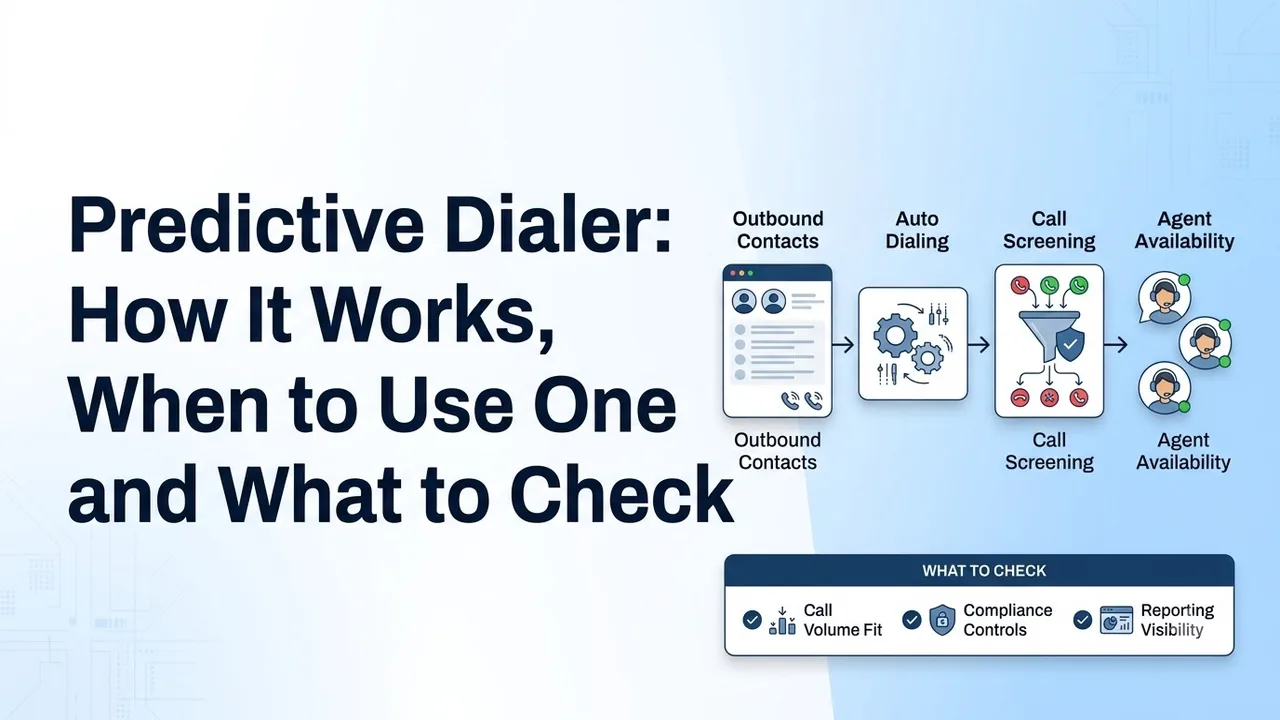
Here is how a campaign runs, and it repeats for every agent:
- A list is loaded and cleaned up. Duplicates and invalid numbers are removed.
- Multiple calls are made. The pacing algorithm decides how many, based on the number of available agents and how often people answer.
- Calls that do not answer are filtered out. Rings with no answer, busy signals and (depending on set up) voicemail are never connected to agents.
- Calls that do answer go to an available agent. Often the agent will have the details of the contact already on screen.
- The agent completes the call and logs the outcome, and the dialer moves onto the next call.
As the dialer is making more calls than the number of agents it can sometimes result in calls being answered when there are no agents available. This is why it's important to ensure the pacing is correct and you have limits in place for compliance.
Most teams that use one have some common factors:
- A high volume of calls against a large contact list.
- Lots of agents working on the same campaign.
- A simple, repetitive call, for example follow ups, renewals, collections reminders or appointment setting.
If you only have one person and a small list of warm leads then another dialing option will be better suited to meet your needs.
Predictive vs power vs preview dialer
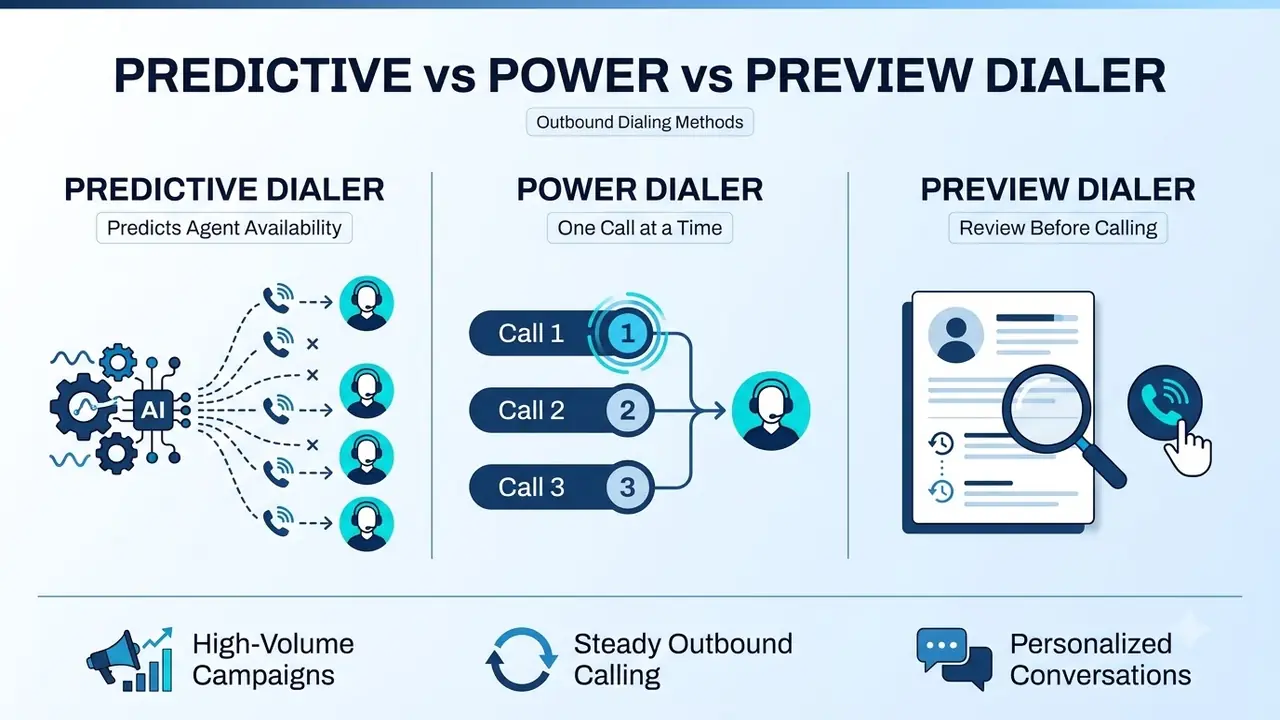
Dialers come in several modes. Which one you pick depends on your list, your team and the rules you work under.
| Preview | Power | Predictive | |
|---|---|---|---|
| How it dials | The agent reviews a contact, then chooses to call | Dials one number per available agent | Dials several numbers per available agent |
| Agent waiting time | Highest | Low | Lowest |
| Best for | Complex or high-value accounts | Warm lists and compliance-sensitive work | Large lists with many agents |
| Main risk | Slower pace | Fewer calls per hour | Answered calls with no agent free |
Rozper's outbound dialer page explains the difference. A power dialer will dial one number per agent, whereas predictive mode will dial multiple numbers and only connect to answered calls. This means you can make more calls but you will have limitations in place for compliance. You can also change the dialing mode for each campaign. A renewal list and a cold list rarely need to be called at the same pace.
When predictive dialing is the right choice
You would want to use it if you need to make calls quickly. It works well when:
- You have a large contact list and lots of agents working on it.
- You are making scripted calls or simple calls which do not require the agent to spend a long time reviewing.
- Volume is key in your business, for example sales outreach, collections reminders or surveys.
- You are happy to have strict rules around when you can call, consent and your list.
You would not want to use it if you need to research each contact, you have a small contact list or you are restricted by your market to have very strict rules on automated dialing. In these cases you would want to use a power or preview dialer to give you more control.
Predictive dialer features to look for
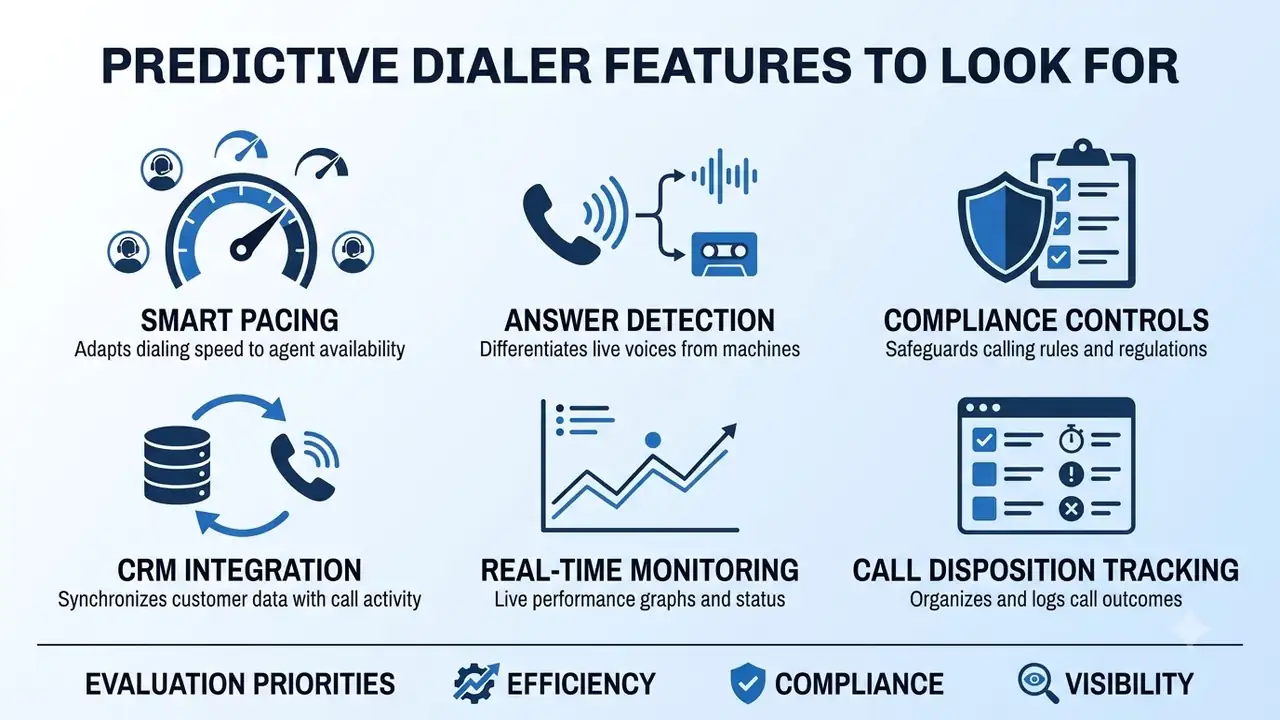
Feature lists can be quite similar. The features you want to look at are those that will impact the outcome and reduce risk.
- Smart pacing means the dialer will dial calls based on how many agents are available. You can also change the pacing to slow it down if the answers are not matching your predictions.
- Answer detection means it can tell the difference between real people and machines, so agents will not be connected to voicemail.
- Compliance controls include do not call cleaning, time of call limits and consent.
- CRM integration means your contact information will always be up-to-date. Notes and next steps will be added after each call.
- Real-time monitoring means you can see how your agents are doing, what pace they are working at and how many answers they are getting.
- Call disposition tracking means every call will have an outcome recorded.
Rozper's outbound dialer page also lists compliance controls, CRM sync of dispositions and notes, and campaign analytics such as contact rate and conversion. Often the biggest time saving comes from having your CRM integrated. Our guide to UCaaS integrations that save time will show you what a good CRM integration can do.
Predictive dialing and compliance
Many countries regulate automated dialing. Rules can vary depending on where you are and whether you are contacting consumers or businesses. Make sure you know what applies to you.
In the United States sellers and telemarketers must comply with the National Do Not Call Registry. There are also rules around time of call, consent and automated or pre-recorded calls. Many regulators will limit how many answered calls you can have without a real person.
When you evaluate a dialer, ask:
- Are lists checked against do-not-call data before a campaign launches?
- Are calling hours enforced automatically by the contact's location?
- How is consent recorded, and can you find it later?
- Who can override a rule, and does an override need a supervisor's approval?
Rozper's outbound dialer page describes automatic do-not-call scrubbing, calling-hour enforcement and consent logging. Manual overrides need a supervisor's approval. It is your responsibility to ensure you are complying, so check your own obligations with qualified advice.
How to run a predictive dialer campaign
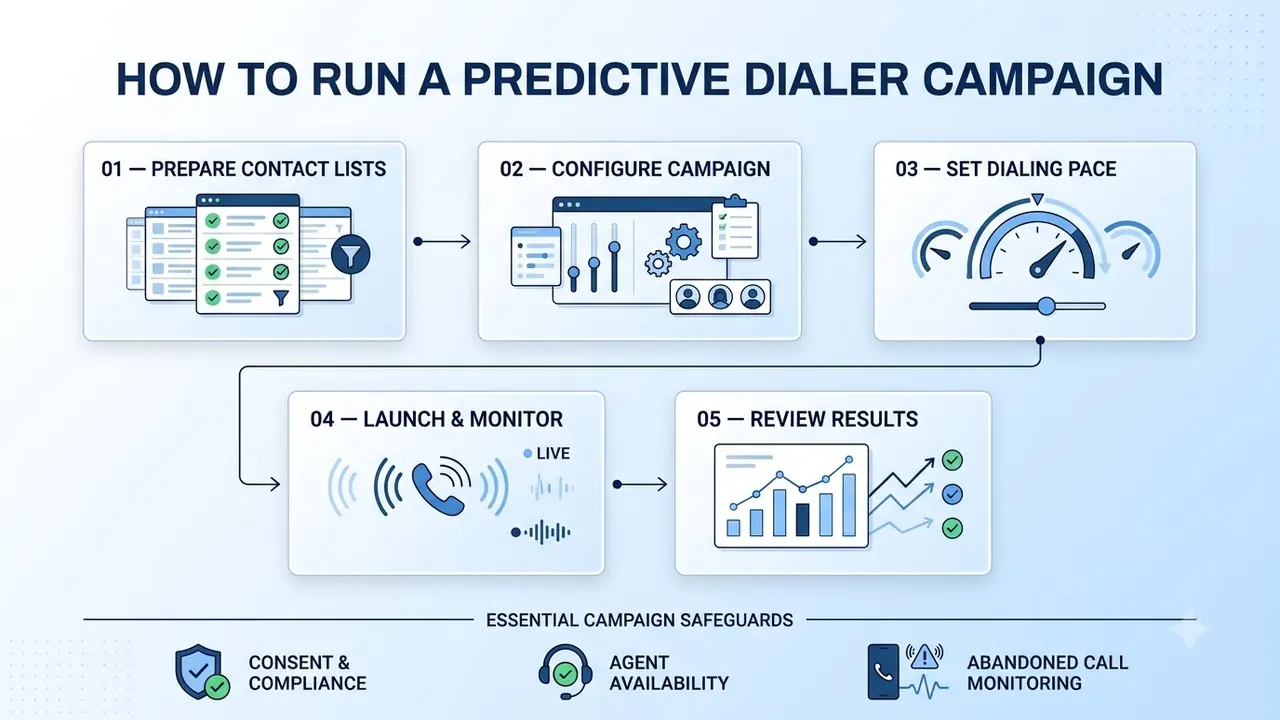
There are 5 stages in a campaign. Most errors will be made in the first stage.
- Prepare contact lists. Import your contacts, either by file or CRM integration, remove duplicates and invalid numbers, and clean them against do not call data.
- Configure the campaign. Choose the dialing mode, assign your agents and set the time of call.
- Set the dialing pace. Start with a slow pace to ensure you are not making more calls than your agents can handle.
- Launch and monitor. Monitor the first hour closely. If your agents are waiting too long or you are getting a build up of answered calls you may want to adjust.
- Review results. Check dispositions and conversion data, and send the data back to your CRM.
There are 3 things to consider throughout the campaign: consent and compliance, agent availability and abandoned calls. Start with a small pilot list. This will help you to see if your script, list and pacing are working together.
Metrics worth watching
Reports can be overwhelming. A short list covers most of the information you need.
- Contact rate: the share of dials that reach a person.
- Conversion rate: the share of conversations that reach the goal, such as a booked meeting.
- Talk time per agent: how much of each shift is spent in real conversation.
- Abandoned calls: answered calls that reached no agent. Keep this number low.
- Cost or revenue per call: the figure that tells you whether the campaign pays for itself.
Make sure you look at everything together. A high contact rate will not matter if your conversion is low. A fast pace could result in more abandoned calls which can cost you more than you gain.
Conclusion
Predictive dialing can turn dialing days into talk days. High volume outbound teams will often use it. To get the best from it you will need a clean list, smart pacing and compliance features included.
Choose the right dialing mode for your list and start with a small pilot. The best predictive dialer for your team will allow you to pace it, monitor it and turn it off if something doesn't look right.
FAQs
What is a predictive dialer?
This is outbound calling software that can make multiple calls. It will only connect an agent to a contact if they answer. It uses a pacing algorithm to make sure agents are talking to people and to reduce wait times.
What is the difference between a power dialer and a predictive dialer?
A power dialer makes 1 call to each available agent. Predictive dialing can make multiple calls to each agent, and will only connect calls that have been answered. This means more volume but stricter compliance rules.
Is a predictive dialer legal?
While automated dialing can be used legally in many areas there are regulations regarding what you can and cannot do. These include rules around do not call lists, call times, gaining permission and handling answered calls. Check the regulations within your market and for your campaign.
Can a predictive dialer connect to my CRM?
Many can. Look for the ability to import lists via files or CRM integration. Also look for automatic updating of dispositions and notes. Rozper's outbound dialer page shows CRM integrations.
When should I use power dialing instead?
Power dialing is best for smaller or warmer lists, accounts that need researching prior to calling, or tight automated dialing rules within a market. This gives more control to agents but is slower.