Introduction
Call center software will help determine how quickly your customer gets to the right person, how much knowledge that person has when they pick up, and how well your supervisors can assist. Choosing the right software means your agents have time to solve issues. The wrong software leaves them flipping between tabs, asking repetitive questions and chasing numbers that never add up.
Most guides tell you what features to look for. This one goes a step further and explains what a platform should include, how those features change your daily workflow, the differences between inbound and outbound, and how to run a trial that shows up the areas that could cause issues.
What call center software includes
This kind of software is a platform that connects your customers to your agents and gives your team the tools to manage the work. At the basic level it handles calls, puts them in a queue and sends them to an available agent. Modern software does much more, allowing you to chat, SMS, email and message on social, all in one place, while also recording and scoring your conversations so your managers can improve.
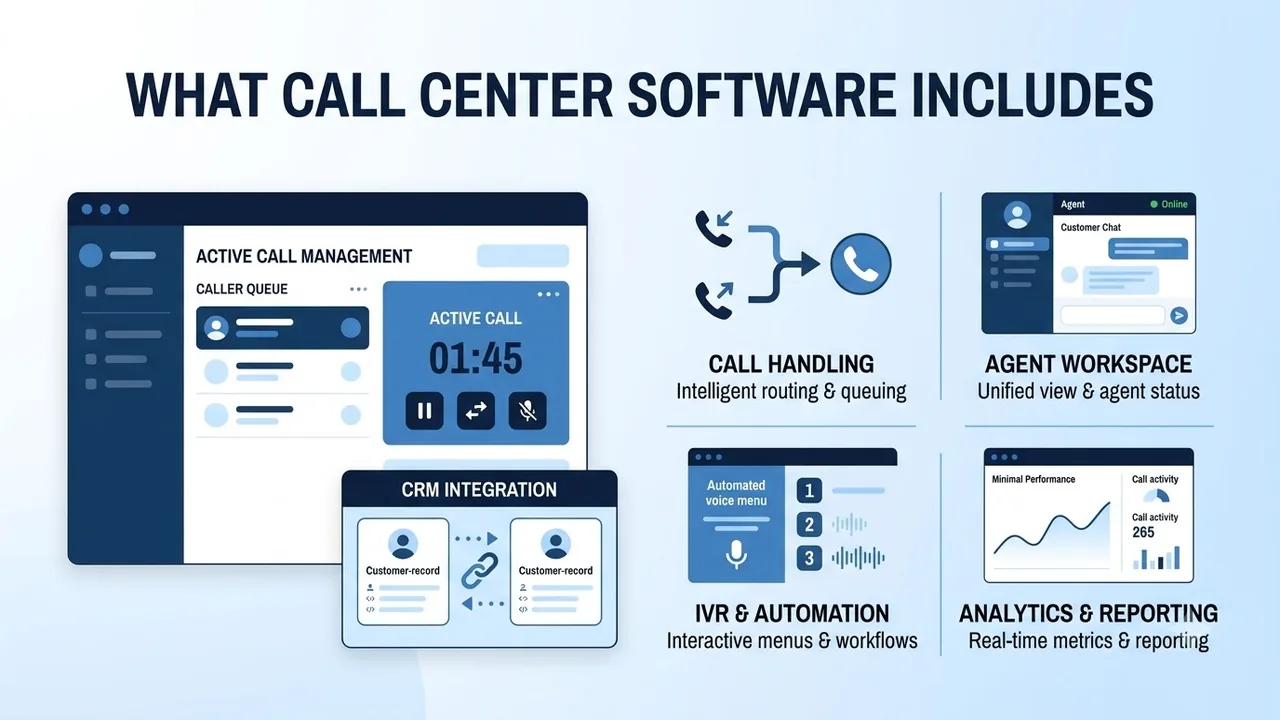
Most platforms offer five main areas:
- Call handling covers receiving and making calls, with routing and queuing so each call reaches an available agent.
- Agent workspace gives your agent one view of the customer, plus chat, email and social in the same queue.
- IVR and automation means interactive voice menus and workflows that handle the simple requests before an agent gets involved.
- CRM integration keeps customer records in sync with what happens on each call.
- Analytics and reporting shows real-time metrics, plus queue, agent and quality data.
Most vendors refer to this as a contact center or CCaaS (contact center as a service). However, there is a lot of crossover. Rozper's contact center page presents it as Rozper's call center software, covering inbound and outbound voice plus chat, email and social from one platform.
Inbound, outbound or blended: decide what you run
The type of calls you handle will help you narrow down your options. If you mainly receive calls to a support desk, you'll want a good queue and routing system. If your sales team mainly makes calls, you'll want a dialer. Most teams do a bit of both, and the best solutions let your agents switch between the two without logging in somewhere else.
| Inbound | Outbound | Blended | |
|---|---|---|---|
| Typical team | Support, service desk, reception | Sales, collections, follow-up | Support teams that also call back or sell |
| What matters most | Queues, routing, wait times | Dialing modes, list handling, compliance | One agent pool that flexes between both |
| Key risk | Long waits and repeated questions | Wasted time on unanswered calls | Two tools that do not share data |
If you're doing both, check whether your outbound and inbound agents are in the same pool and using the same reports. Rozper's outbound dialer page describes outbound and inbound reps flexing without switching tools. This is something to check in any demo.
Channels in call center software
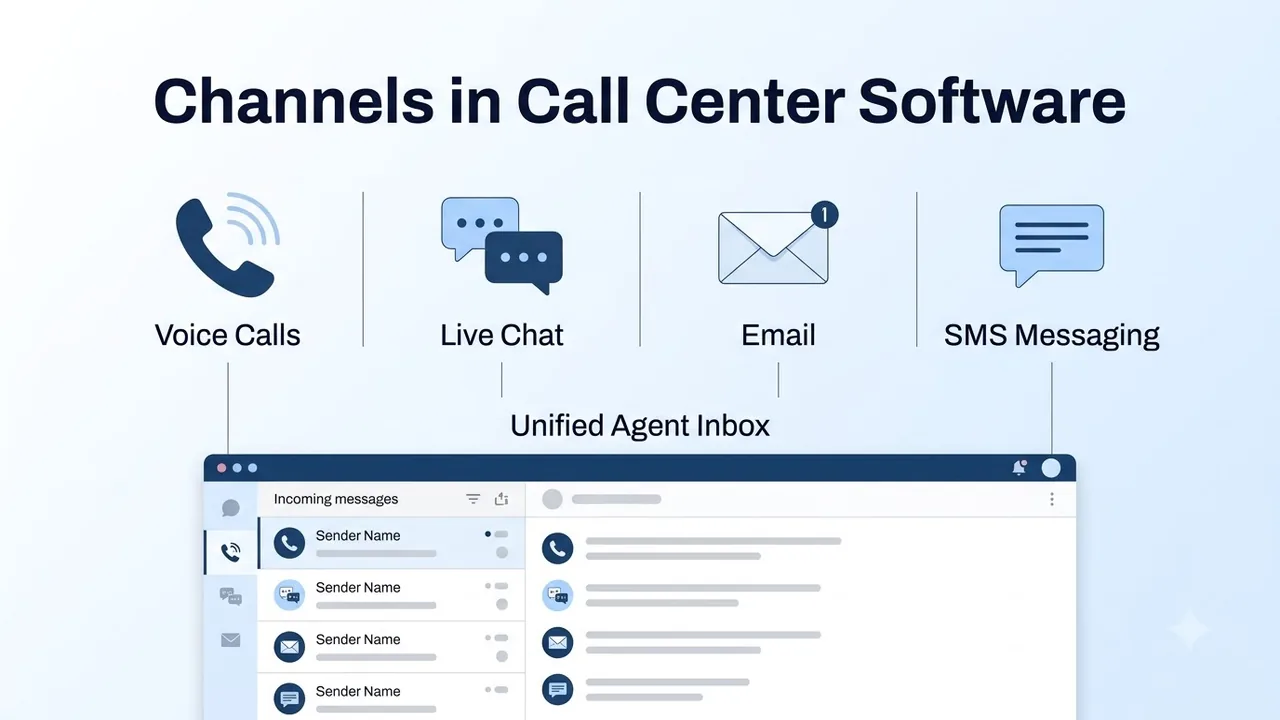
Customers rarely stick to one channel. They may message you on WhatsApp in the morning and call you in the afternoon. Your platform should keep the conversation flowing instead of starting from zero each time.
Look for one inbox for your agents that handles:
- Voice, SMS and email
- Web chat
- Social messaging such as WhatsApp, Facebook Messenger and Instagram
Rozper's contact center lists voice, SMS, email, web chat, WhatsApp, Facebook Messenger and Instagram in one inbox with full conversation history. Whatever you shortlist, check that agents can easily switch between channels. If you start a conversation on chat, can you continue on the phone, and can your agent see both?
Routing and queues that match how you work
Routing is one of the key features of any platform. By creating simple rules to route calls you'll save yourself a lot of time, for example a rule to send any billing questions to your billing team. More advanced solutions let you route based on skills, intent or previous questions.
Check how easy it is to create rules and who can change them. If you have to go through your vendor's support team every time you need a change, it will slow you down the first time your business shifts. Look for:
- Skills-based routing, so your contacts get sent to the right agent.
- One queue for calls and digital, so your chat isn't stuck behind a call.
- Time-based rules, so you can set your opening hours, holidays and overflow.
- Clear fallbacks, so no calls get stuck ringing.
Rozper's omnichannel page describes voice and digital contacts routed to one queue with skills-based routing, plus AI that routes based on intent, history and availability.
If you're looking to replace your office telephone system as well, take a look at our guide on what to look for before you switch phone systems.
AI and agent assist in call center software
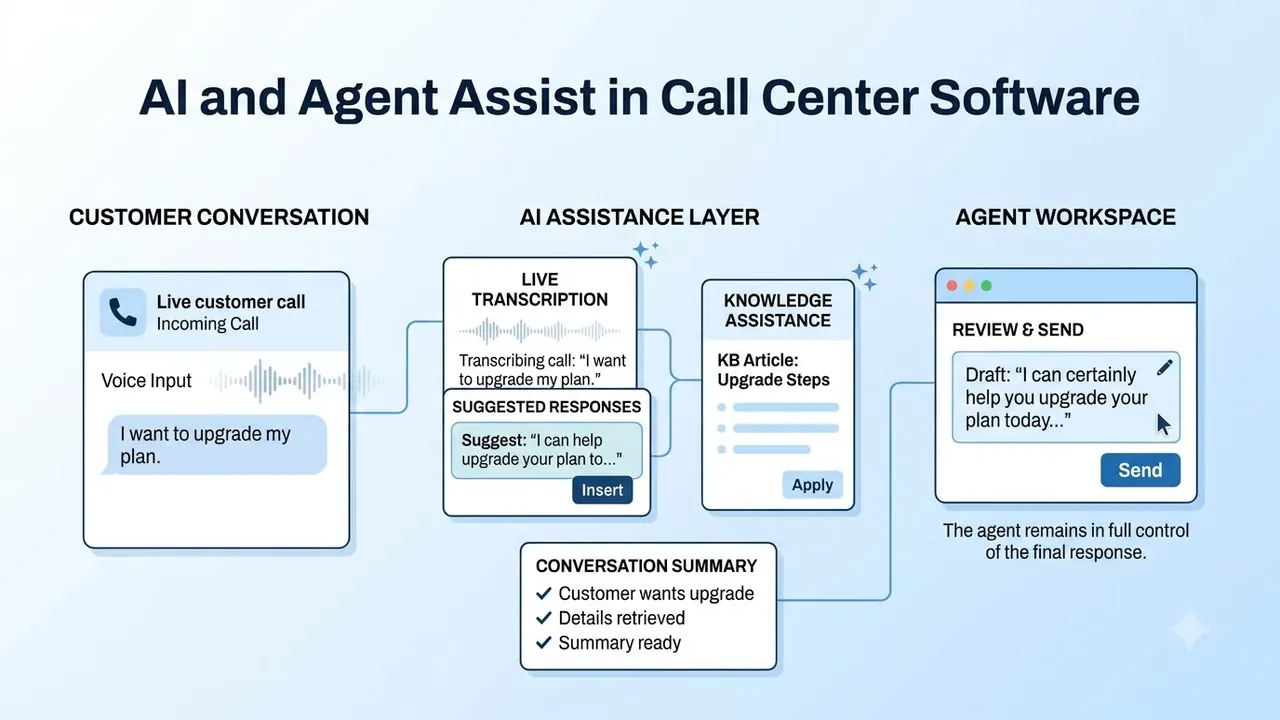
AI is a must-have in any sales demo nowadays, but look for solutions that will actually help your agents. Usually AI can help your agents while they're talking to a contact, and take care of the routine queries.
For agents, look for real-time suggestions, relevant articles and automatic note taking. For the routine, look for an AI agent that can handle common queries, qualify leads, book appointments and pass on to a person. Rozper's contact center page states that its AI agents handle routine inquiries around the clock and escalate to human agents when needed.
Ask any vendor three questions:
- Can agents turn suggestions on and off? If they can't, you'll get too much noise.
- Can the human see the whole conversation at handoff? They should see everything the customer has said.
- Can you upload your own knowledge base? You should be getting answers from your content.
Outbound dialing and compliance
If you're making calls to your customers, your dialer will be really important. Two modes cover most needs. A power dialer makes one call to each available agent and waits for them to answer. A predictive dialer makes multiple calls and only connects an agent if someone picks up. This increases your volume, but you'll have tighter compliance.
Compliance should be built into the software. Check that it cleans your lists against do-not-call data before a campaign starts, sets limits on calling hours and records consent. In the United States, the National Do Not Call Registry is the official list that sellers and telemarketers must follow, so ask any vendor how they handle checks for it.
Rozper's outbound dialer page lists power and predictive dialing, do-not-call scrubbing, calling-hour restrictions, consent-based dialing and CRM sync after each call. Whichever platform you choose, ask what needs to be approved by a supervisor when an agent wants to override a rule.
Supervisor tools and analytics
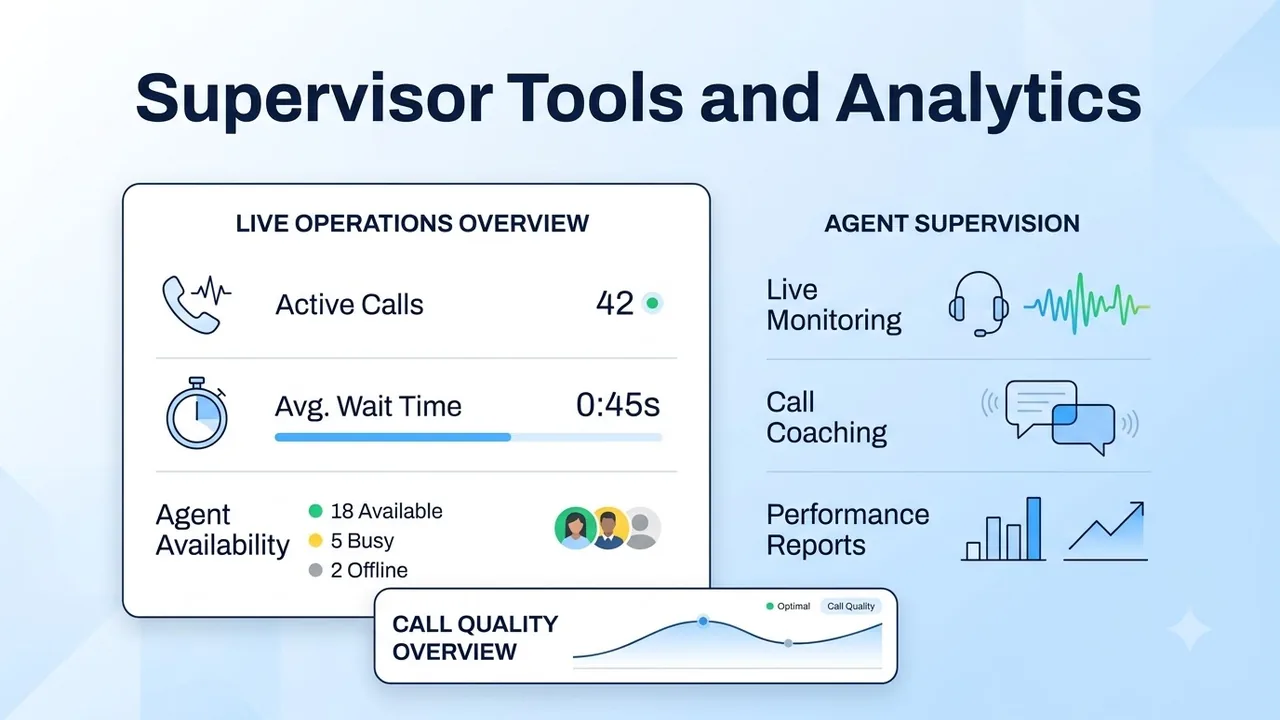
A supervisor who can only view yesterday's report will always be one day behind. Real-time tools let them assist while the contact is still open.
- Listen, whisper and barge. Monitor a call without being heard, coach the agent privately, or join in if things get out of control.
- Live dashboards. Queue size, wait times and agent status on one screen.
- Alerts. Notices if sentiment, keywords or call length go past the thresholds you set.
- Replay. Review the shift afterward and coach from what actually happened.
On the reporting side, you'll want to view queue stats, service level, handle time and resolution by channel, plus export to your own BI tool. Rozper's interaction analytics page describes scoring every recorded conversation rather than a sample, with data export to common BI tools. It's important to know how many calls a vendor scores for quality. If they only score a small percentage, you won't really know how the rest are going, so ask any vendor how much of your volume its quality scoring covers.
A ten-question checklist before you buy
Use these questions in any demo and score each answer out of 5.
- Which channels are included, and are they in one queue?
- How easy is it to create routing rules, and who can change them?
- Can your agent see customer history before answering?
- Can your outbound and inbound agents be in the same pool?
- Which dialing modes are available, and what compliance checks run automatically?
- What tools do supervisors have to listen, coach and step in?
- What do the AI features do, and can agents turn them on and off?
- Which CRMs can it connect to, and is data written back automatically?
- What reports are included, and can they be exported?
- What does onboarding involve, and who do you contact if something goes wrong?
Try to run a realistic scenario through the trial. Move a customer from chat to phone, put a call in a busy queue and watch a supervisor step in. Within minutes you'll see the gaps.
Conclusion
Choosing the right call center software means your agents don't have to think about using it and your supervisors can trust it. Start with your call mix, confirm you have the channels you need, check that routing and dialing can handle a realistic scenario, and ask some tough questions about AI, reporting and support.
Use the demo as practice for a normal Tuesday. If the software can handle your messiest scenario smoothly, it will make the rest of your decision much easier.
FAQs
What is call center software?
It's the software used for routing contacts to agents, with features to help manage customer interactions. These usually include calls, chat, SMS, email and social, as well as routing, monitoring and reporting.
What is the difference between call center software and contact center software?
There is lots of crossover between the two terms. The traditional meaning of call center is voice only, while contact center software adds digital options. Rozper explains that its contact center is its call center software.
Can a call center platform handle both inbound and outbound calls?
Yes. Many platforms offer both, and the best ones let your agents use both methods without switching tools. Make sure you have a single pool of agents and reports for inbound and outbound.
Does call center software work for remote agents?
If the platform is cloud based, it will be accessible through a browser or app. This means your agents can work from anywhere as long as they have a stable connection. During your trial, test call quality on a few different home connections.
How do I compare providers?
Score each one on channels, routing, AI, dialing, compliance, supervisor tools, reporting, integrations and support. Make sure you test them all using the same realistic scenario.