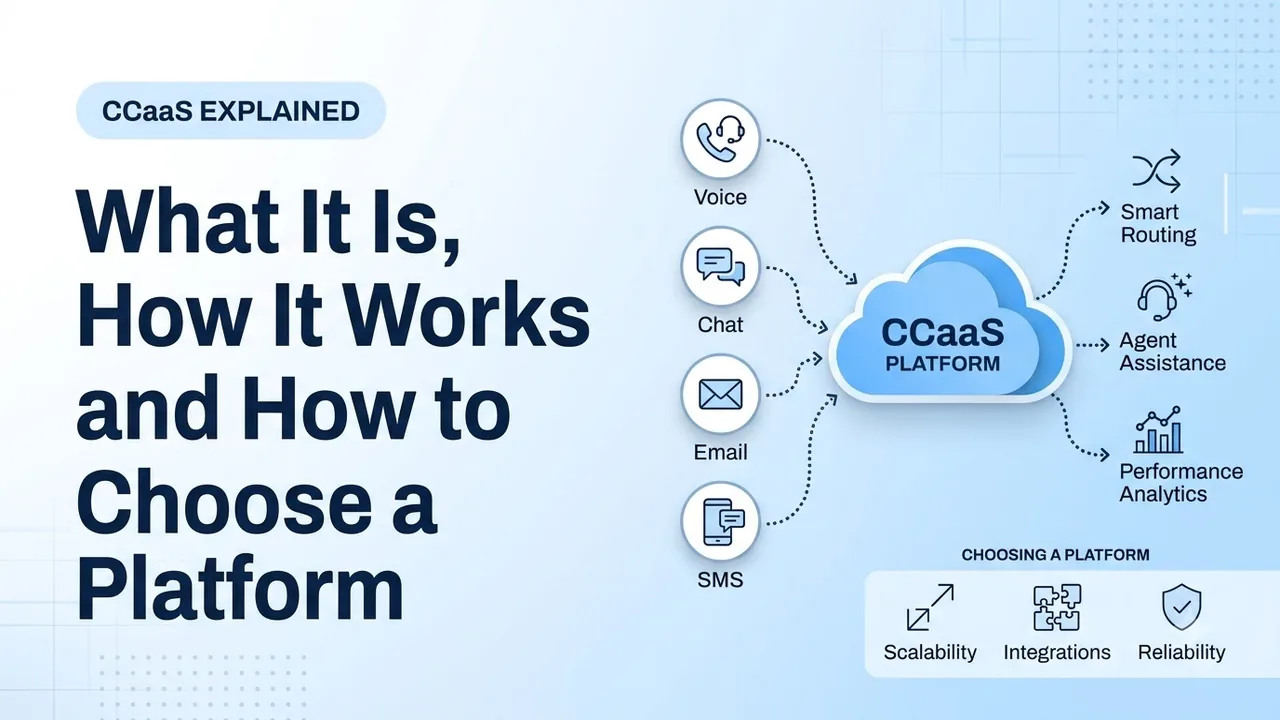
CCaaS stands for contact center as a service. Rather than buying any hardware or licensing any software to run your contact center, you log in and use cloud-based software that comes as a subscription. This helps customer service and sales teams cut the time it takes to scale up agents, add new channels and change how contacts are handled.
This term is quite generic and many vendors will try to stretch it. This guide explains what is included, how it works compared with on-premise solutions and UCaaS, and how to decide if it is right for you.
What CCaaS means
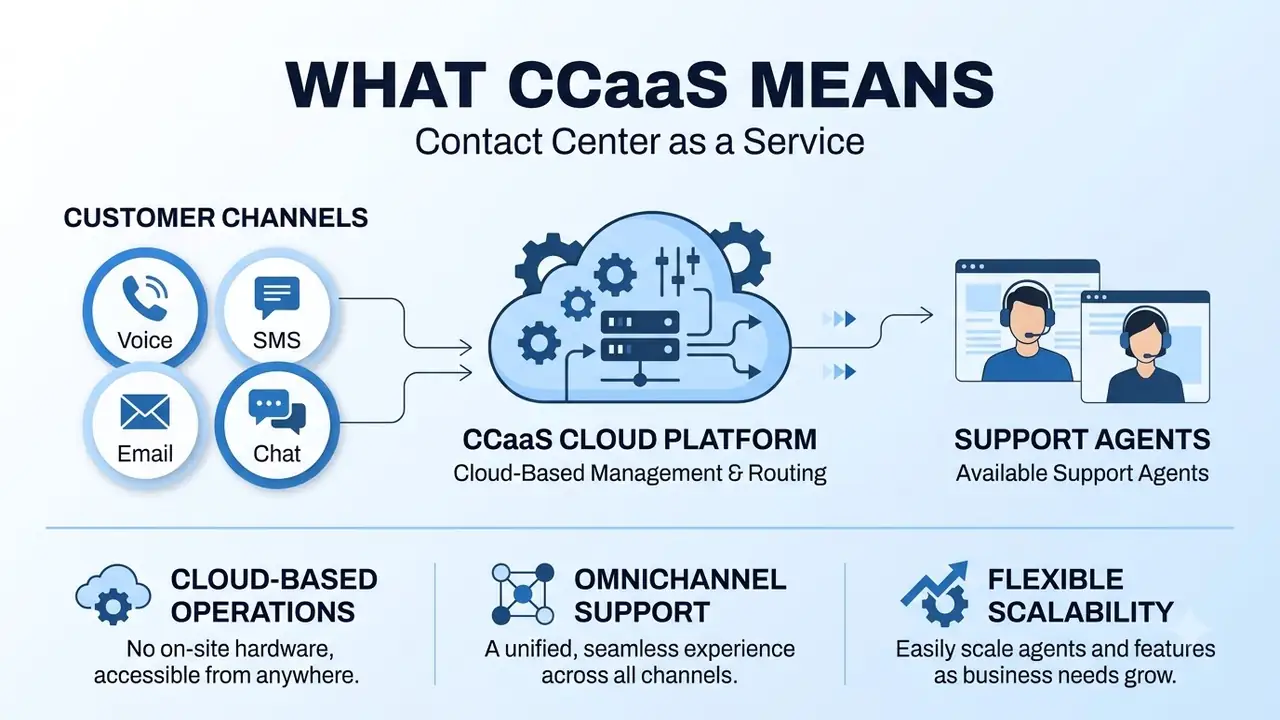
A contact center is a team and system that handles all of your customer contacts. Using contact center as a service means you are using that technology in the cloud. The provider manages the infrastructure and software while you set your queues, users and rules.
Typically, CCaaS platforms include:
- Contact handling: inbound and outbound calling, as well as digital channels.
- Routing: contacts are sent to the correct agent or team.
- Agent interface: all of your customer information and tools on one screen.
- AI: suggestion tools to help your agents and automation for simple queries.
- Supervisor tools: live monitoring, coaching and alerts.
- Reporting and quality: queue, agent and conversation data.
These platforms are often called cloud contact centers or call center software. Rozper's contact center is simply its call center software offering. It has inbound and outbound calling with chat, email and social all in one platform.
How does CCaaS work?
In this model, the dynamic parts of your contact center are moved into the cloud. Your customers come in through standard channels and the platform takes care of the contact for you. The contact is routed to the correct agent through a browser or application.
- Contact comes in. This could be a call, chat, text, email or social message.
- The platform identifies and routes the contact. Rules are applied to route it to the correct agent or team based on the channel, history, topic and which agents are available and skilled.
- The agent responds from one screen. They can see the customer history.
- The outcome is recorded and analyzed. It is reported in dashboards.
Agents simply access the platform through their browser or application. You can have agents working from an office, at home or even in another country. Supervisors get live insight as well.
CCaaS vs on-premise contact center
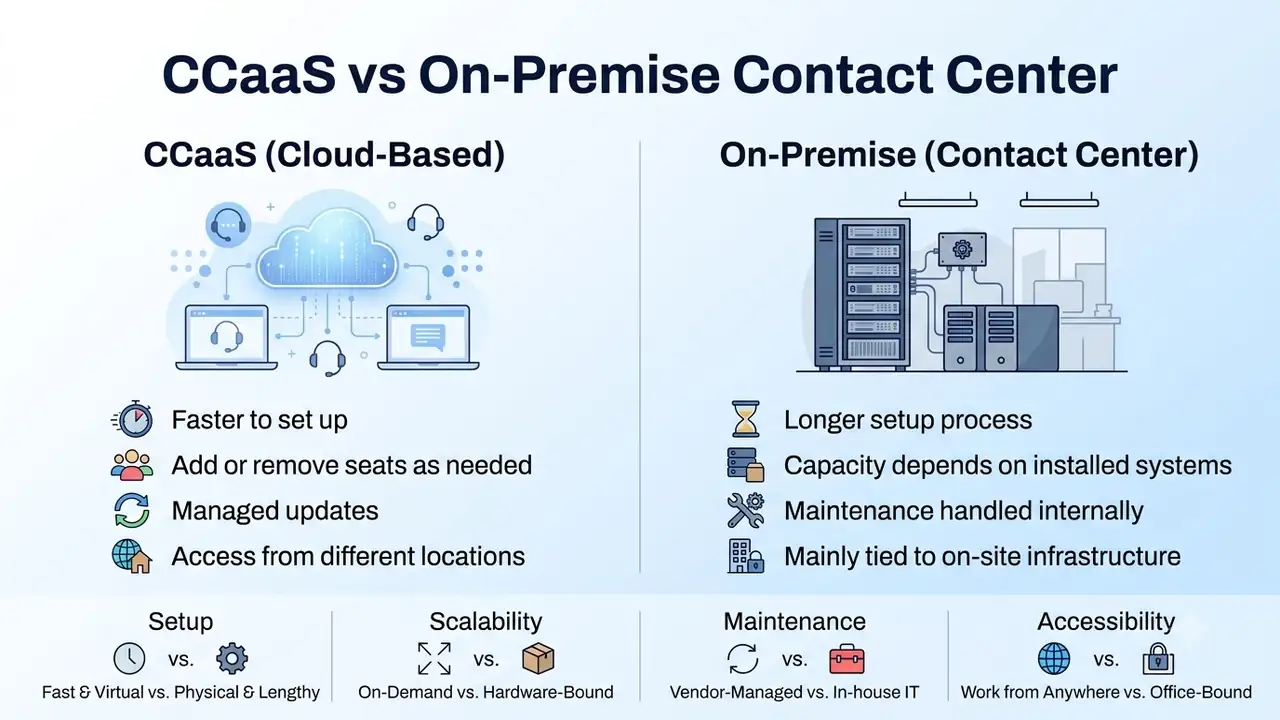
Traditionally, contact center software would be installed on your own servers (or rented ones). This may include dedicated telephony hardware and a specialized team. With a cloud solution you simply pay a subscription.
| On-premise contact center | CCaaS | |
|---|---|---|
| Infrastructure | Own servers and telephony hardware | Provider's cloud |
| Cost | High (hardware, licensing and setup) | Lower, usually a subscription |
| Maintenance | Managed by your IT team or a contractor | Managed by the provider |
| Scale | Buy licenses and set up hardware | Add a new seat in the admin dashboard |
| Remote work | Limited unless extra setup is done | Yes |
| Changing queues or rules | Often requires a specialist | Usually managed by an admin user |
| Upgrades | Scheduled upgrades | Provided by the provider |
While on-premise solutions still work for organizations with strict data location requirements or a large investment in existing hardware, most teams will decide based on how quickly they can adapt. If your contact volumes, channels or staffing change frequently, a cloud solution lets you respond much faster than a hardware project allows.
CCaaS vs UCaaS
These two are often confused because both are cloud communications solutions. However, they address different problems. UCaaS (unified communications as a service) is for internal and everyday business communication. CCaaS is for managing high volumes of customer contacts.
| UCaaS | CCaaS | |
|---|---|---|
| Purpose | Internal and external communication for employees | Manage high volumes of contacts |
| Users | Everyone in the company | Agents and supervisors |
| Tools | Business calling, meetings and team chat | Queuing, routing, agent interface, dialer and analytics |
| Key metric | Reliability for everyday business | Speed to answer, resolution and quality |
Many companies will need both, and some providers offer them as one platform. If you are looking at replacing your office phones, take a look at our guide on what to look out for when switching phone systems.
Core CCaaS features
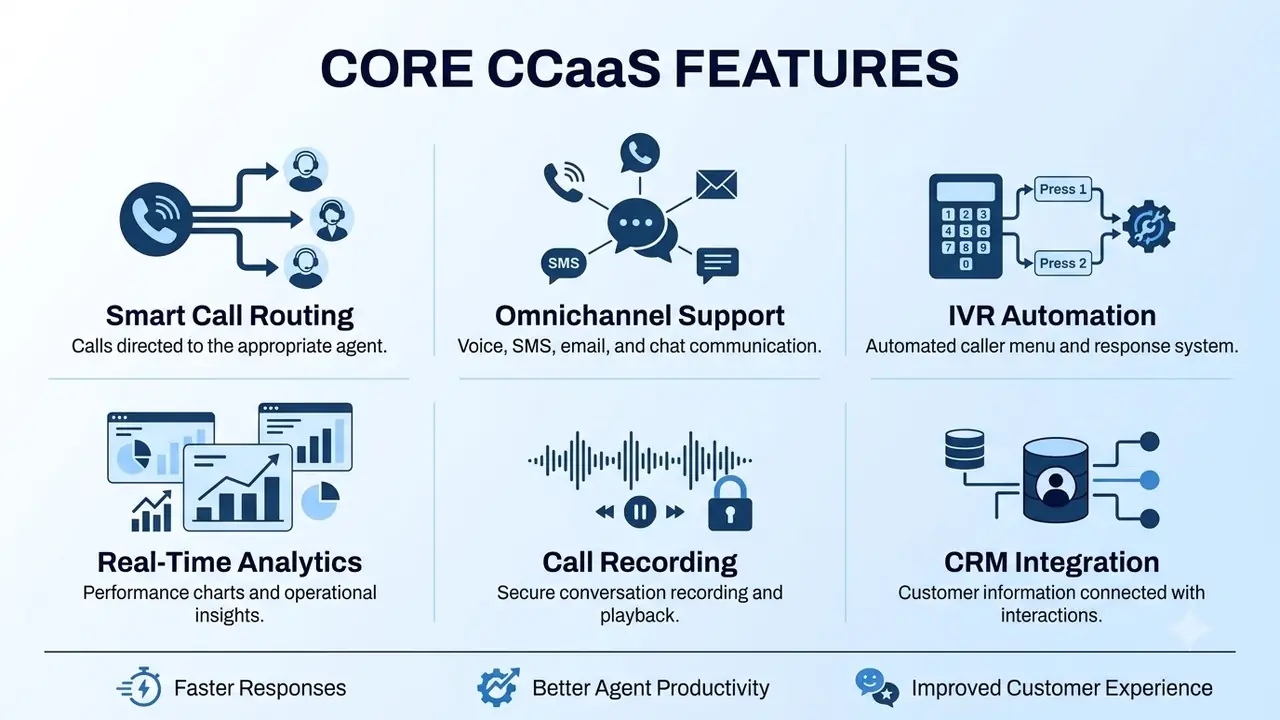
There will be lots of features listed, but you want to make sure they change how your team works. Six core features show up in most platforms.
- Intelligent routing: route contacts using skills and intent-based rules so the right agent is assigned. Make sure you can test the rules and see who can change them.
- Omnichannel: customers rarely use just one channel, so make sure you can manage voice, SMS, email, web chat and social in one inbox for your agents. Rozper's contact center supports voice, SMS, email, web chat, WhatsApp, Facebook Messenger and Instagram.
- IVR: an auto attendant routes calls to the right place. Rozper's auto attendant and visual IVR builder has multi-level menus and business-hours rules.
- Live analytics: make sure you can see queue stats, trends, scoring and exports. Rozper's analytics page describes scoring for every recorded conversation.
- Call recording: record calls so your team can review them, train agents and resolve disputes. Rozper's call recording has role-based access and AI search. Make sure you know how consent announcements are handled where you operate.
- CRM integration: have the customer record alongside every interaction. Rozper's outbound dialer has CRM sync for dispositions and notes.
Also try out AI tools that help your agents, and outbound calling with do-not-call scrubbing and calling-hour controls. Make sure you have supervisor tools too, such as live listening, whisper coaching and barge-in.
Who should use a cloud contact center?
It is not just for very large call centers. It suits any team whose contacts have grown beyond what a shared phone and inbox can handle.
- Customer support teams: answering questions by phone, chat and email, and needing one queue.
- Sales and collections teams: making outbound calls and needing a compliant dialer with CRM sync.
- Growing businesses: adding new agents, channels and regions quicker than hardware allows.
- Remote teams: people in multiple locations or working from home.
If you are only making a few calls per day and one person is answering them, a business phone system will suffice. But once you start having queues, switching channels or needing supervision, you will start to see the benefits of the cloud.
Benefits and considerations
There are clear benefits to using a cloud solution, and a few considerations to be aware of.
Benefits
- Faster to get started: add seats, channels and rules with an admin.
- Lower initial cost: it is subscription based.
- Designed for remote working: agents and supervisors simply use a browser or application.
- Always up to date: the provider pushes updates.
Considerations
- Dependent on the internet and the provider: ask how they handle downtime and what visibility you have.
- Less control: you can customize it, but you do not own it.
- Ongoing cost: it is a subscription, so be sure to look at the overall cost.
The term "as a service" has a formal definition. According to the US National Institute of Standards and Technology, there are five essential characteristics of the cloud model. Two of the main ones are on-demand self-service and rapid elasticity. This is why you can scale up and down much more easily.
How to choose a CCaaS platform
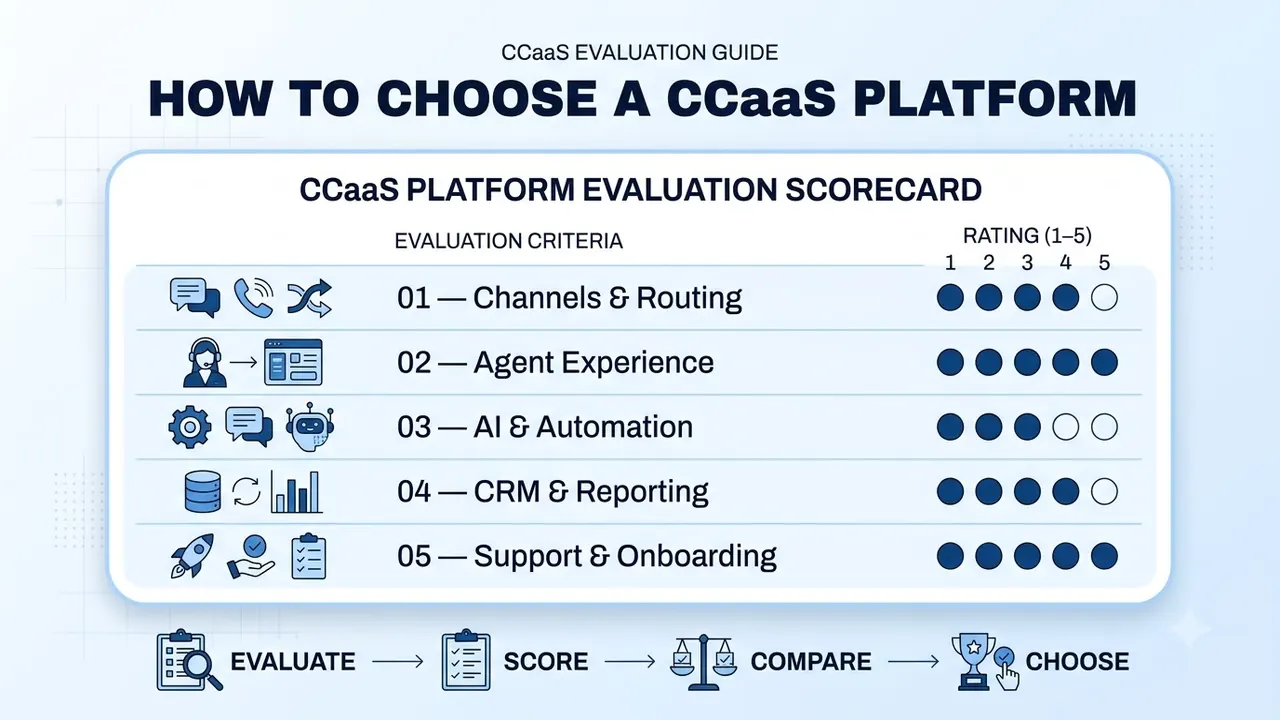
Make sure you ask every provider the same questions and score them out of 5.
- Which channels are supported, and are they all in one queue?
- How are the routing rules created, and who can edit them?
- Does the agent see the customer history?
- Can you have a shared pool of inbound and outbound agents?
- What dialing modes are available, and what are the compliance checks?
- How can supervisors listen, coach and step in?
- What AI tools are available, and can the agent control them?
- Which CRMs are integrated, and is data pushed back?
- What reports are available, and can the data be exported?
- What is the onboarding process, and who can you contact if things go wrong?
Break these down into five categories to compare your providers:
- Channels and routing: score out of 5.
- Agent experience: score out of 5.
- AI and automation: score out of 5.
- CRM and reporting: score out of 5.
- Support and onboarding: score out of 5.
Ask for any guarantees in writing. Just saying they have high availability won't count. Try a real-life scenario during your trial, for example a customer who switches from chat to calling.
How to move to the cloud
- Map out what you have today. Note how many agents, queues, hours, scripts, integrations and reports.
- Start porting your numbers as soon as possible. This depends on your current carrier.
- Set up your queues and routing. Try your own scenarios.
- Connect your CRM. Make sure data is flowing in both directions.
- Pilot with one team. Once your agents and supervisors are comfortable, scale up.
- Review after 30 days. How long were people waiting? Were any contacts lost? What did your agents say, and what were the quality scores?
Conclusion
CCaaS gives your customer-facing teams a cloud platform to manage all of their contacts, with routing, agent tools, supervisors and reporting in one place. It is worth investing in if your volumes, channels or staffing are changing quicker than your hardware can follow, and it rewards teams who test providers with real-life scenarios.
Choose a platform that your agents can use intuitively and your supervisors can trust.
FAQs
What does CCaaS stand for?
It stands for contact center as a service. It is cloud-based contact center software that you pay for as a subscription, instead of hardware and licenses you buy and run yourself.
What is the difference between CCaaS and UCaaS?
UCaaS covers everyday business communication, such as calling, meetings and team chat for everyone in the company. The other is built to manage high volumes of customer contacts, with queues, routing, a dialer and analytics for agents and supervisors. Many companies need both.
Is CCaaS the same as call center software?
Mostly, yes. The terms overlap, and cloud contact center is another name for the same thing. Rozper describes its contact center as its call center software, covering voice plus chat, email and social.
Do small teams need CCaaS?
Not always. If you only make a few calls a day and one person answers them, a business phone system is usually enough. Once you have queues, several channels or a need for supervision, a cloud platform starts to make sense.
Can agents work from home with a cloud contact center?
Yes. Agents use a browser or an app, so they can work from an office, from home or from another country. Test call quality on a few home connections before you roll out to everyone.